
Most of the Google Sheets files on this website include a small amount of code that makes sure everything works properly. In order to protect your safety, Google will want to check that you're ok with this and trust the code. It's perfectly normal to authorise a script (as long as you trust us!).
Don't be put off... these steps are perfectly safe and quick to do:
Step 1 - Copy the file if you haven't already
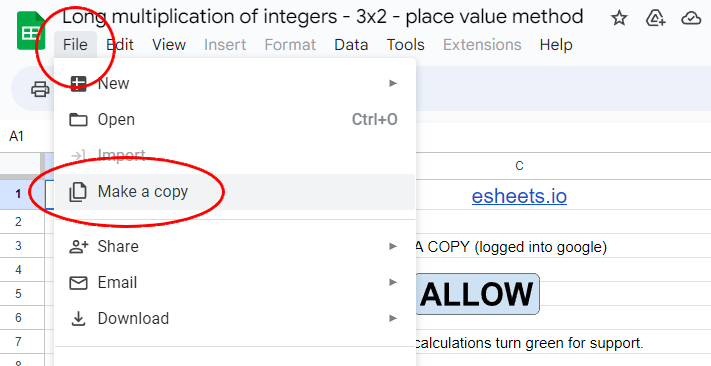
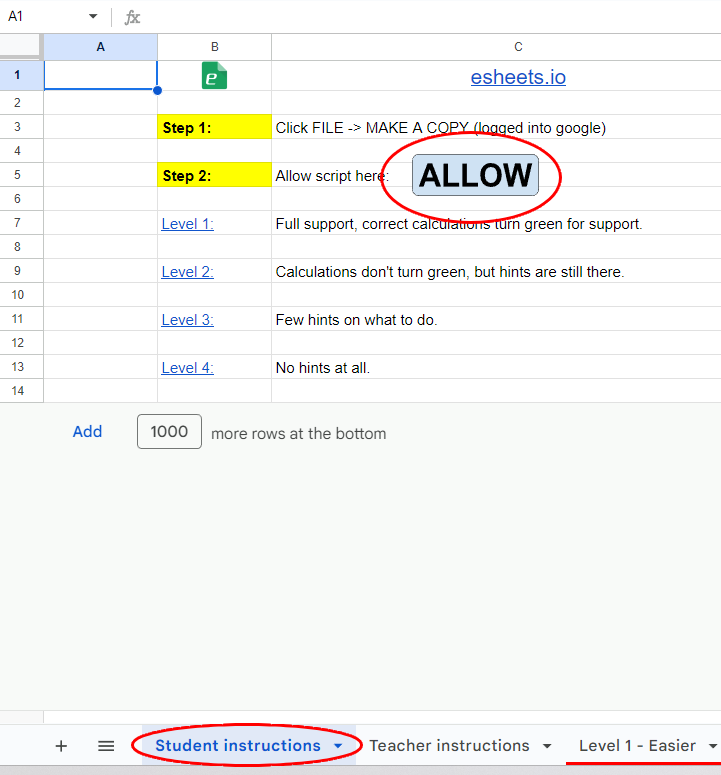
Step 2 - Click any button on the spreadsheet to trigger the code
Your best option is the "Allow" button, but any button on the spreadsheet itself is fine!
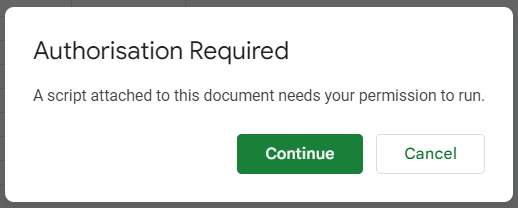
Step 3 - Click "continue" to authorise
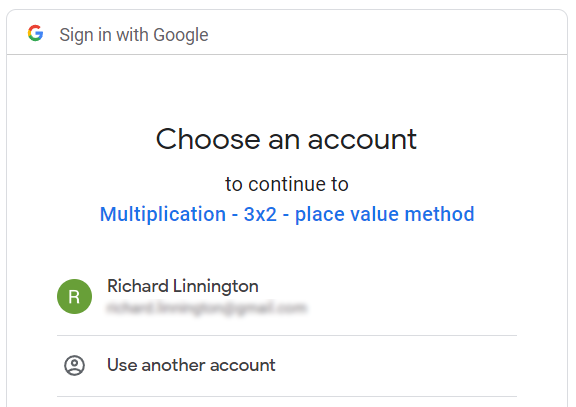
Step 4 - Choose your preferred Google account
Step 5 - Don't worry about the "unverified app" and click ADVANCED
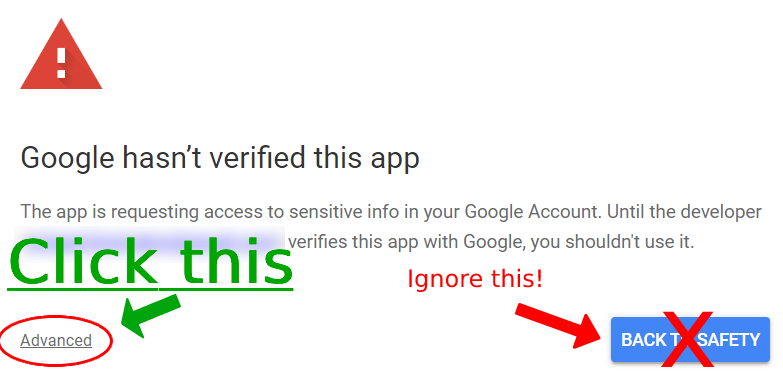
As long as your trust us, you can ignore the blue safety button!
Step 6 - Click the name of the file that Google says is "unsafe"
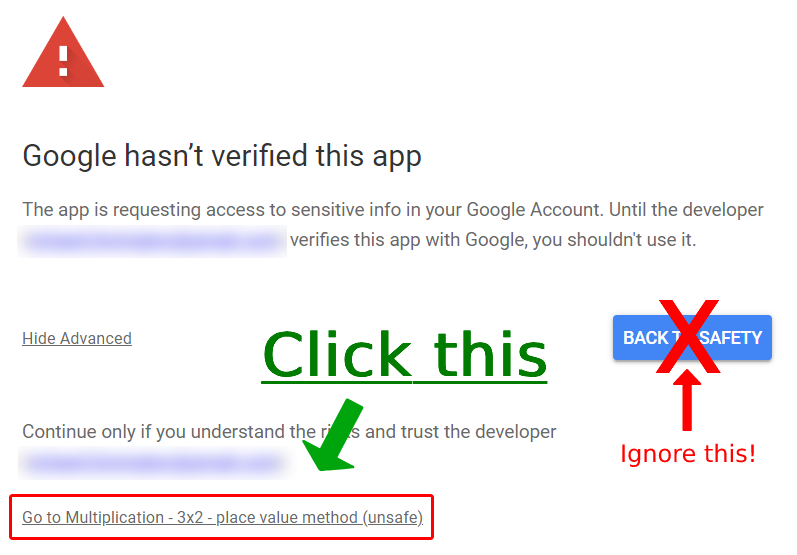
Step 7 - Allow the script access
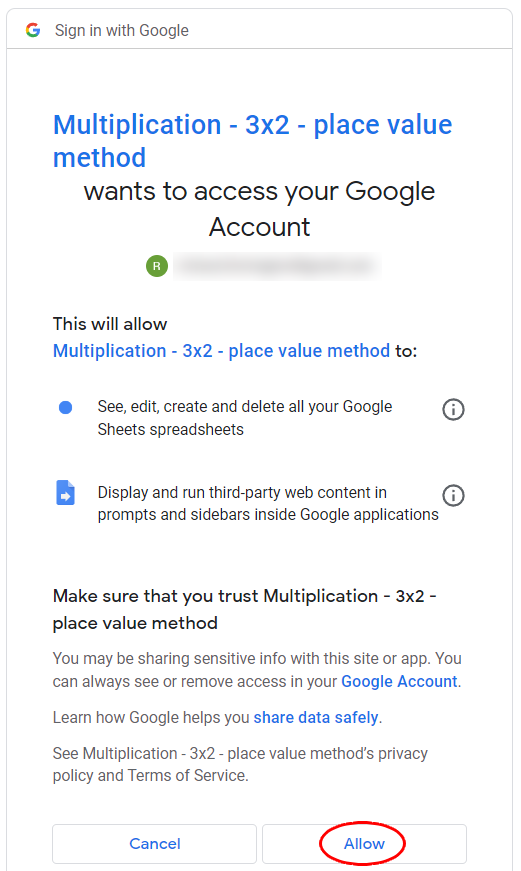
And that's it! You'll probably receive an alert from Google via email / phone notifying you that access was granted... once again, this is perfectly normal!