
Standard form addition
Adding numbers in standard form is a useful skill in science and engineering, where very large or small numbers are common. Standard form expresses numbers as a power of 10, making calculations easier. For example, scientists might use standard form to quickly add the distances between planets or measure tiny cells under a microscope. Understanding how to add in standard form helps simplify complex real-world calculations! Jump to the questions
Practise now
Worksheet preview and key skills
Worksheet preview
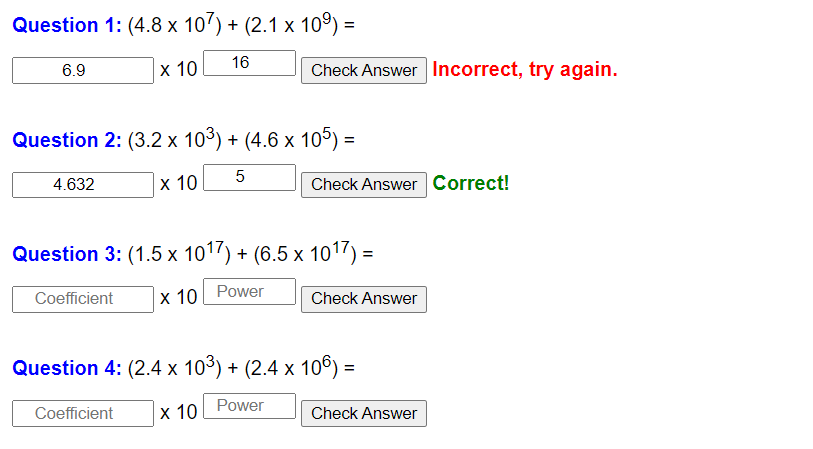
Practise standard form addition with this self-marking maths worksheet.
The interactive worksheet below generates questions, gives instant feedback, and lets students record their score.
What you’ll practise
- Rewriting numbers with matching powers of 10 where needed.
- Adding the decimal multipliers accurately.
- Converting the result back into standard form.
- Checking the final power of 10.
Use the interactive worksheet below, or read the Topic guide for the method and worked example.
For each question, enter the coefficient and the power of 10 in the boxes (standard form).
Topic guide
What this worksheet practises
This worksheet focuses on adding numbers together when both numbers are written in standard form (e.g. 3 × 10&sup4; + 5 × 10³). You cannot simply add the front numbers together if the powers of 10 are different.
Key method
The safest non-calculator method is to convert both numbers into normal numbers first.
- Take the first standard form number and convert it into a normal "ordinary" number by multiplying by the power of 10.
- Take the second standard form number and convert it into a normal number.
- Line them up using column addition (making sure the place value columns match perfectly) and add them together.
- Take your final answer and convert it back into standard form. (Remember: Standard form must have a front number between 1 and 9.99).
Worked example
Calculate (4 × 10³) + (2.5 × 10&sup4;). Give your answer in standard form.
Step 1: Convert the first number.
4 × 10³ = 4 × 1000 = 4,000.
Step 2: Convert the second number.
2.5 × 10&sup4; = 2.5 × 10000 = 25,000.
Step 3: Add them together.
25,000 + 4,000 = 29,000.
Step 4: Convert the answer back into standard form. The decimal point must go between the 2 and the 9 to make a number between 1 and 10.
29000 becomes 2.9 × 10&sup4;.
The final answer is 2.9 × 10&sup4;.
Common mistakes to avoid
The biggest mistake is ignoring the powers and just adding the front numbers (e.g. 4 + 2.5 = 6.5 × 10something). This only works if the powers of 10 are exactly the same. If the powers are different, the numbers belong in different place value columns, and adding them directly is completely wrong.
Things to remember
If you are allowed a calculator, you can type the entire sum in directly. Use the EXP or ×10x button. However, your calculator might give you the answer as a normal number (29000), so you still need to know how to manually convert it back to standard form at the end.