
Converting metric units of length
Understanding how to convert metric units of length is essential in everyday life, whether you're measuring the height of a building, calculating the distance for a road trip, or ensuring precise dimensions in construction and engineering. Mastering these conversions makes it easier to work with measurements in science, sports, and even everyday DIY projects! Jump to the questions
Practise now
Worksheet preview and key skills
Worksheet preview
Practise converting metric units of length with this self-marking maths worksheet.
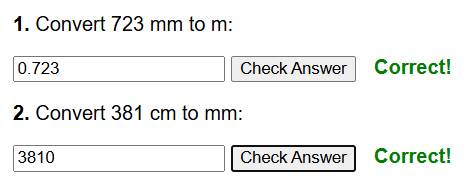
The interactive worksheet below generates questions, gives instant feedback, and lets students record their score.
What you’ll practise
- Converting between mm, cm, m and km where relevant.
- Choosing the correct conversion factor.
- Multiplying or dividing by powers of 10.
- Keeping the correct unit in the answer.
Use the interactive worksheet below, or read the Topic guide for the method and worked example.
Convert the following values to the required units.
Topic guide
What this worksheet practises
This worksheet provides practice on converting metric units of length, such as millimetres (mm), centimetres (cm), metres (m), and kilometres (km). Being fluent in these conversions is essential for geometry, real-world maps, and interpreting scale drawings.
Key method
Metric conversions work by multiplying or dividing by powers of 10 (10, 100, or 1000).
- To convert from a larger unit to a smaller unit, you multiply. (You need more of the smaller units to cover the same distance).
- To convert from a smaller unit to a larger unit, you divide.
- Memorise the key factors: 10 mm in a cm, 100 cm in a m, and 1000 m in a km.
Worked example
Convert 4.5 kilometres into metres.
Step 1: Identify the conversion factor. We are moving from kilometres to metres.
1 kilometre = 1000 metres.
Step 2: Decide whether to multiply or divide. We are going from a larger unit to a smaller unit, so we multiply.
Step 3: Perform the calculation.
4.5 × 1000 = 4500.
The answer is 4500 m.
Common mistakes to avoid
A common error is dividing when you should multiply, or vice versa. If you convert 4.5 km to metres by dividing by 1000, you get 0.0045 m, which is tiny. Always pause and ask: "Should the number be bigger or smaller than the one I started with?" Another mistake is using 100 instead of 1000 for kilometres.
Things to remember
The prefix "kilo-" always means 1000 (just like a kilogram is 1000 grams). The prefix "centi-" means 100th (just like a century has 100 years, or a cent is 1/100th of a dollar). Using these word clues helps prevent confusing the conversion factors.